PRs on Edge is a generative UI agent that reads your open GitHub pull requests and dynamically renders the right interface for the moment: a swipe stack, a risk matrix, a contributor-focused view, a dependency graph, or a category-grouped board.
There is no fixed dashboard to configure. The agent analyzes repository state and decides what to show, how to show it, and in what priority order.
This is not a chatbot wrapped in a UI. It is a copilot that ships, rendering interactive components inline so you can confirm, tweak, and execute actions directly from a handheld or edge device.
The Problem
Pull request reviews are still stuck on desktop dashboards. Engineers context-switch between their IDE, GitHub, Slack, and email just to stay on top of open PRs. Reviews pile up, blockers go unnoticed, and high-risk changes get buried in routine noise.
Existing tools give you a list. PRs on Edge tries to give you a decision interface.
What We Built
The agent reads your open PRs and chooses one of five generative views based on what it finds.
- SwipeStack — used when there are fewer than 10 open PRs, enabling card-by-card review with approve, reject, or skip actions.
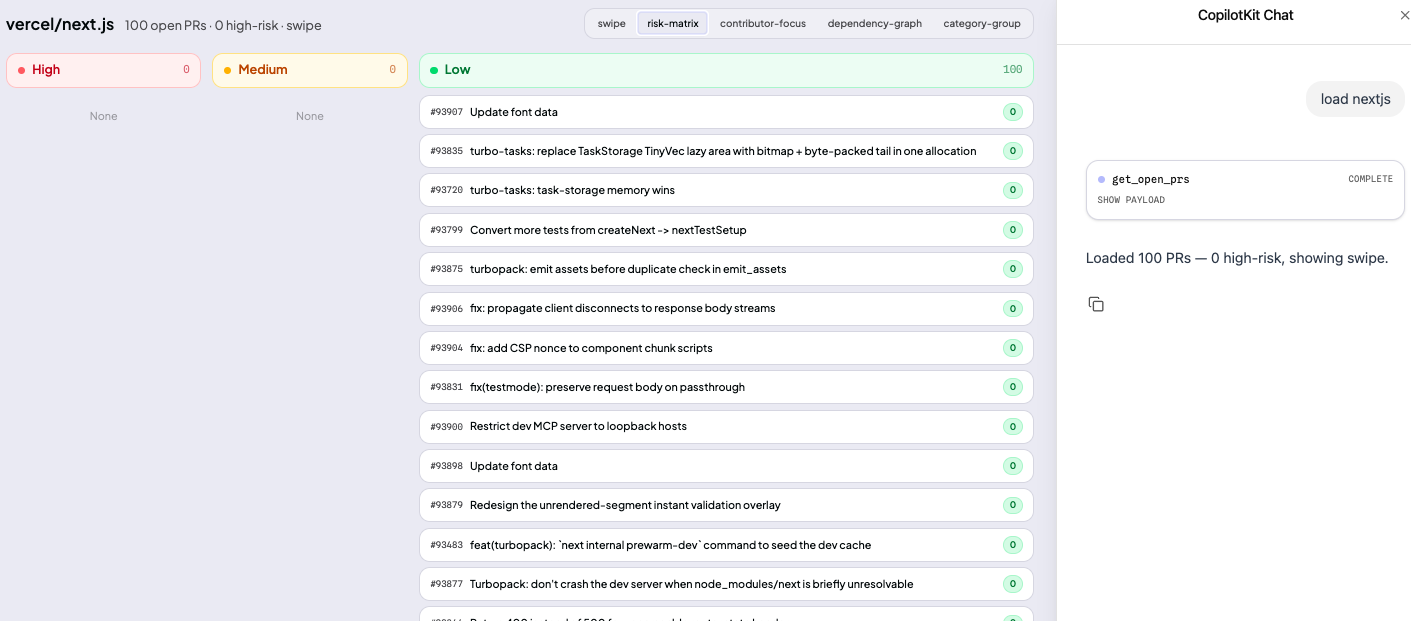
- RiskMatrix — used when many high-risk PRs are detected, surfacing a color-coded grid sorted by risk.
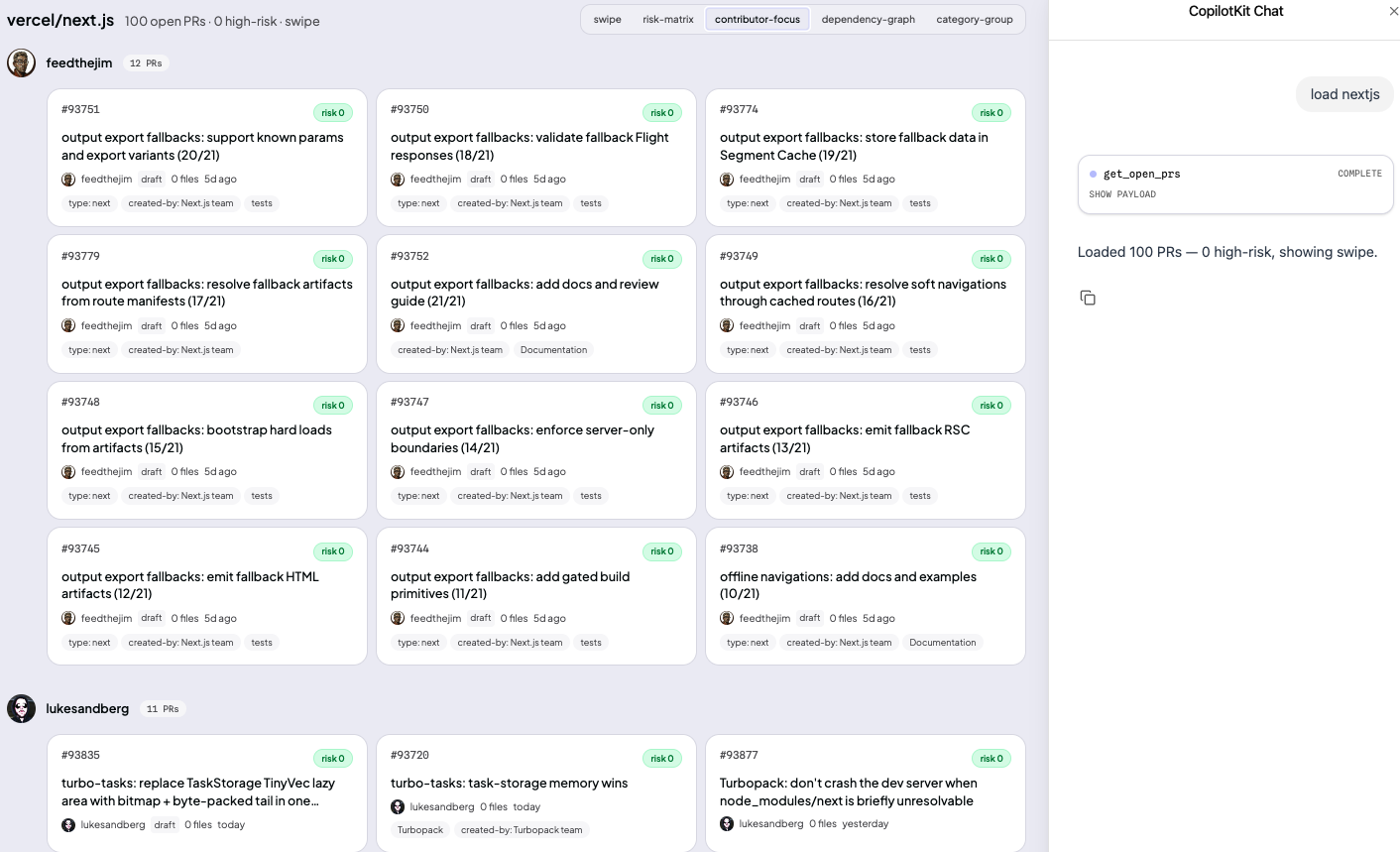
- ContributorFocus — used when one or two authors dominate the queue, grouping PRs by contributor and merge history.
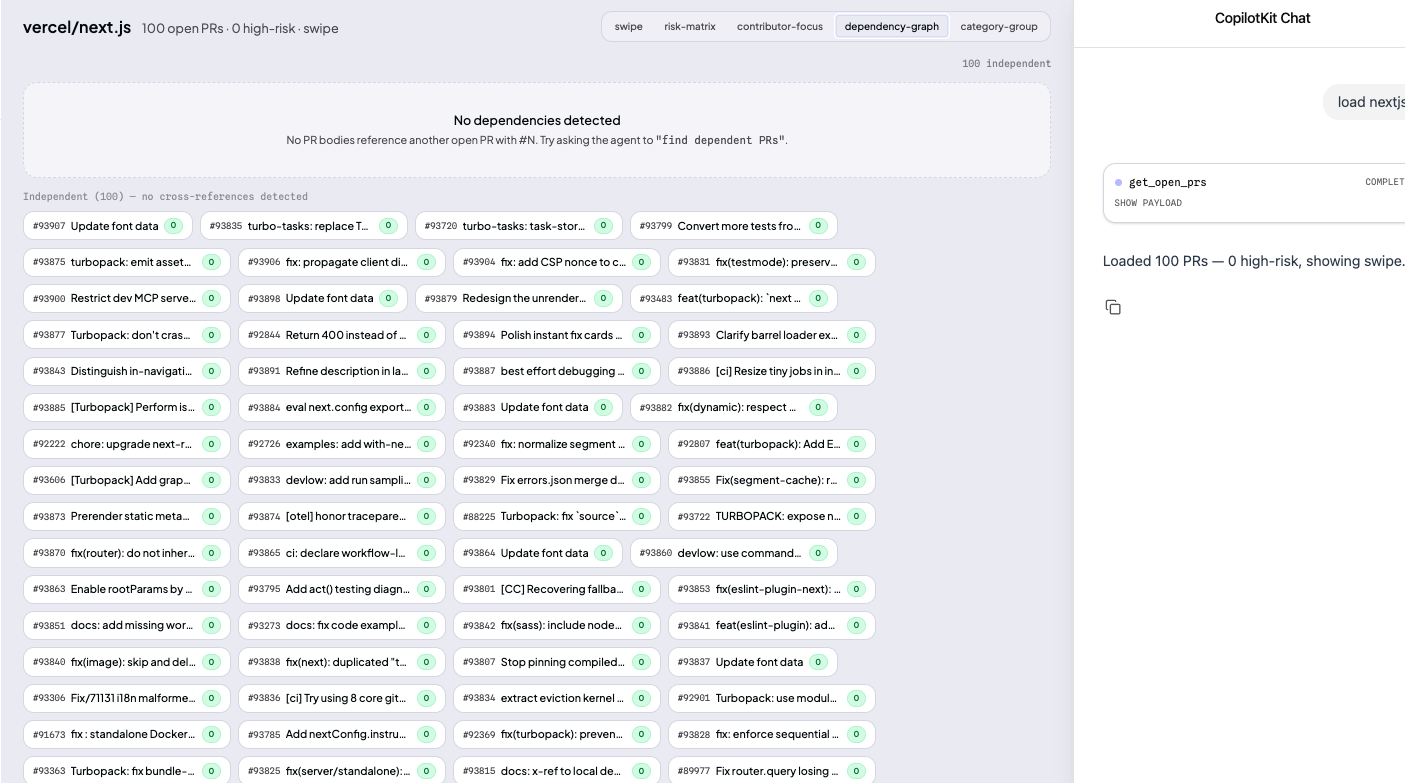
- DependencyGraph — used when merge order or linked pull requests matter more than raw queue length.
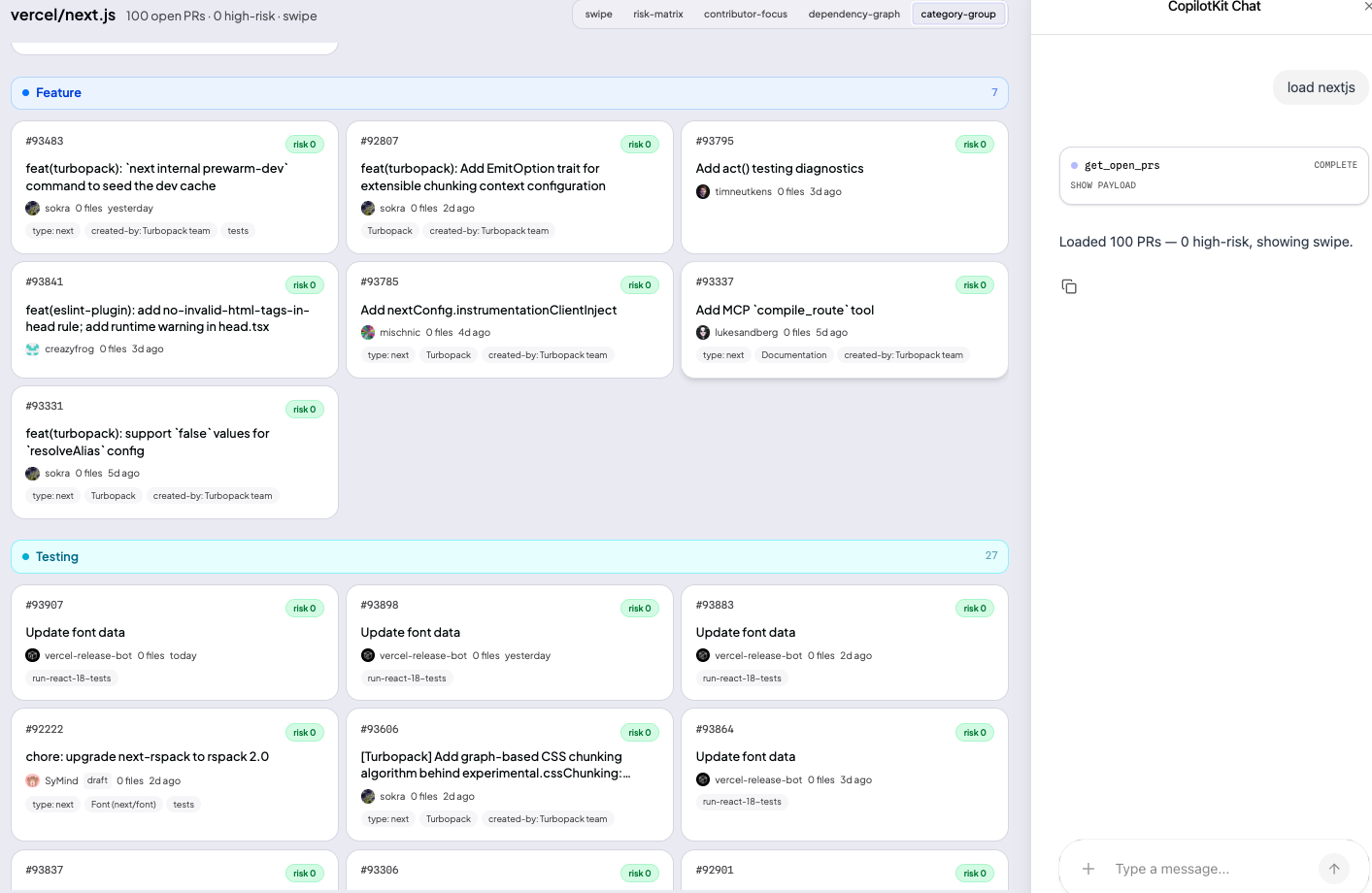
- CategoryGroup — used when the fastest way to reduce noise is clustering PRs by feature, testing, maintenance, and similar classes.
The user can still ask the agent to switch views or drill into a specific PR at any time, but the default surface is chosen by the system rather than configured manually.
The Five Views
SwipeStack is the fastest review mode: one pull request at a time, with explicit approve, skip, or inspect actions.
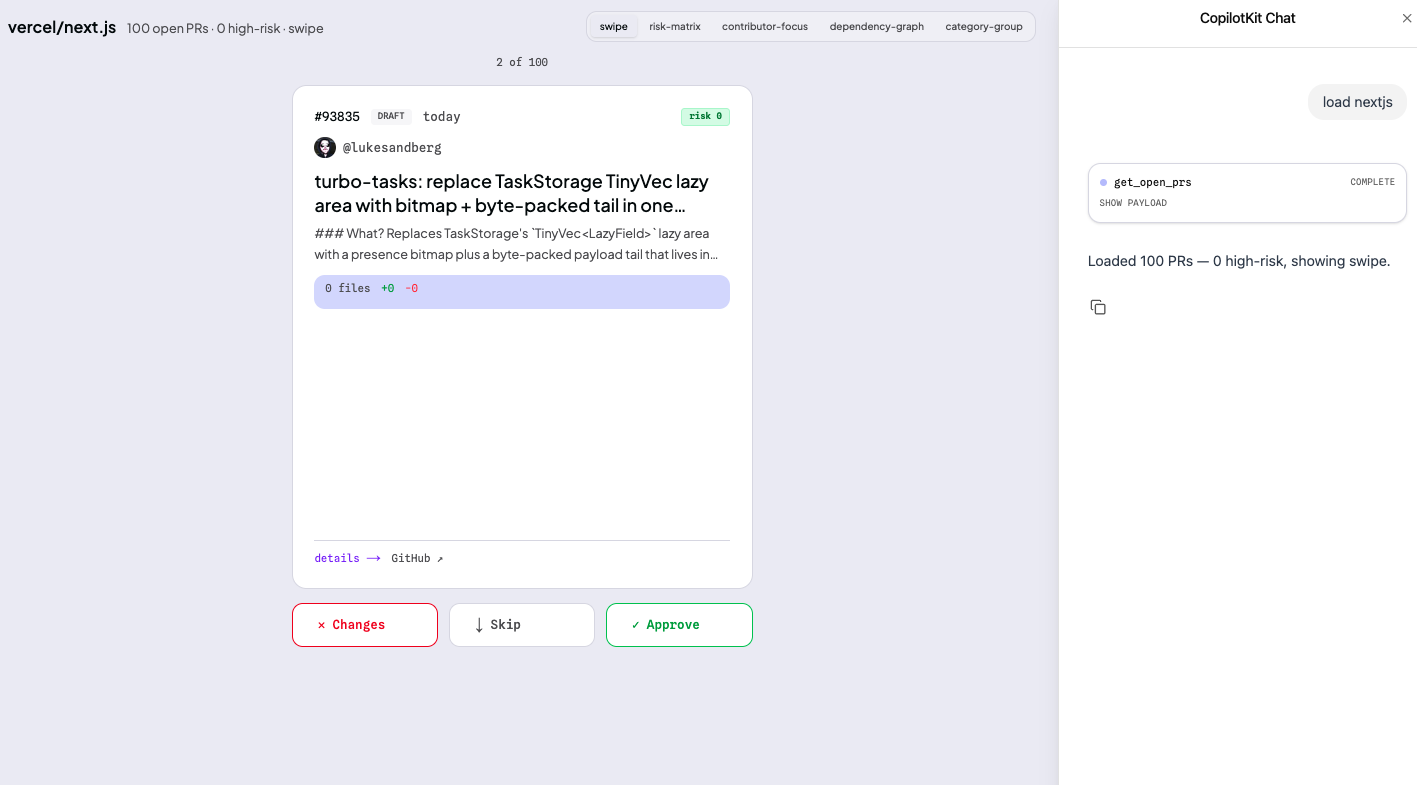
RiskMatrix turns the queue into a severity surface so the reviewer can see whether the real problem is low-risk maintenance or a handful of changes that deserve immediate attention.
ContributorFocus becomes useful when one contributor or team owns a disproportionate share of open work and the review bottleneck is coordination, not just prioritization.
DependencyGraph is the structure-aware view: it shows whether PRs are independent or whether merge order matters because changes reference or block one another.
CategoryGroup is the batching view, grouping PRs by feature, testing, maintenance, and similar patterns so reviewers can process like with like.
Risk Scoring
Every PR is scored from 0 to 100 using a lightweight runtime heuristic based on additions, deletions, number of changed files, and whether sensitive paths such as auth/, billing/, payment/, or schema are touched.
- Scores above 60 are flagged as high risk.
- Scores from 30 to 60 are treated as medium risk.
- Scores below 30 are treated as lower risk routine changes.
No external scoring service and no heavy model are required. The point is to make risk visible fast enough to shape the interface in real time.
PR Classification Parameters
Before rendering any UI, the agent classifies pull requests across four dimensions:
- Category grouping — bug fix, refactor, maintenance, or new feature.
- Dependency graph — identifies blocking chains so reviewers do not merge out of order.
- Priority ranking — pushes older and unreviewed PRs upward so they do not disappear into backlog noise.
- Release targeting — maps PRs to upcoming release targets and splits them by feature vs bug fix.
GitHub API Surface
The agent relies on a small, focused tool surface:
- get_open_prs — title, author, additions, deletions, changed files, and URL for all open PRs.
- get_pr_files — changed files and patch content for a specific PR.
- get_contributor_history — recent PR history for a contributor in the same repo.
- risk_score — an inline 0–100 score built from size, file count, and sensitive path detection.
Why This Matters
Most AI tools stop at recommendation text: “you have 12 open PRs” or “this change looks risky.”
PRs on Edge tries to go one step further. The output is not just analysis. It is an interface the user can act on directly: swipe, filter, inspect, approve, or merge. The UI is generated by the agent, not preconfigured by the user.
That is the core idea behind the project: replacing static dashboards with review interfaces that emerge from context.